

I worked with an older client this past week who just got a new MacBook Air. She was thrilled with it — until the trackpad got in the way. Moving around the screen, clicking, and scrolling was a real struggle. The answer wasn’t sending the Mac back… it was Voice Control.
If you have a parent — or know anyone — who struggles with their Mac or iPhone, this can be a real game changer. I tested it extensively, and I was genuinely surprised with how well it works.
What Is Voice Control?
Most people have heard of Siri. Voice Control is different. It’s a built-in feature on your Mac that lets you control everything on your screen — without ever touching the trackpad or mouse. You can dictate emails, close windows, switch between apps and navigate your entire Mac — all by voice.
What Can Voice Control Do?
Voice Control has two modes. In command mode, your Mac listens for instructions. In dictation mode, it types what you say. You can switch between them instantly. So you can dictate an email and then say “send” — without ever touching the keyboard.
You can execute commands:
“Open Safari” — and Safari opens.
“Scroll down” — and the page scrolls.
“Zoom in” — and the page gets closer.
“Click File” — and the File menu opens.
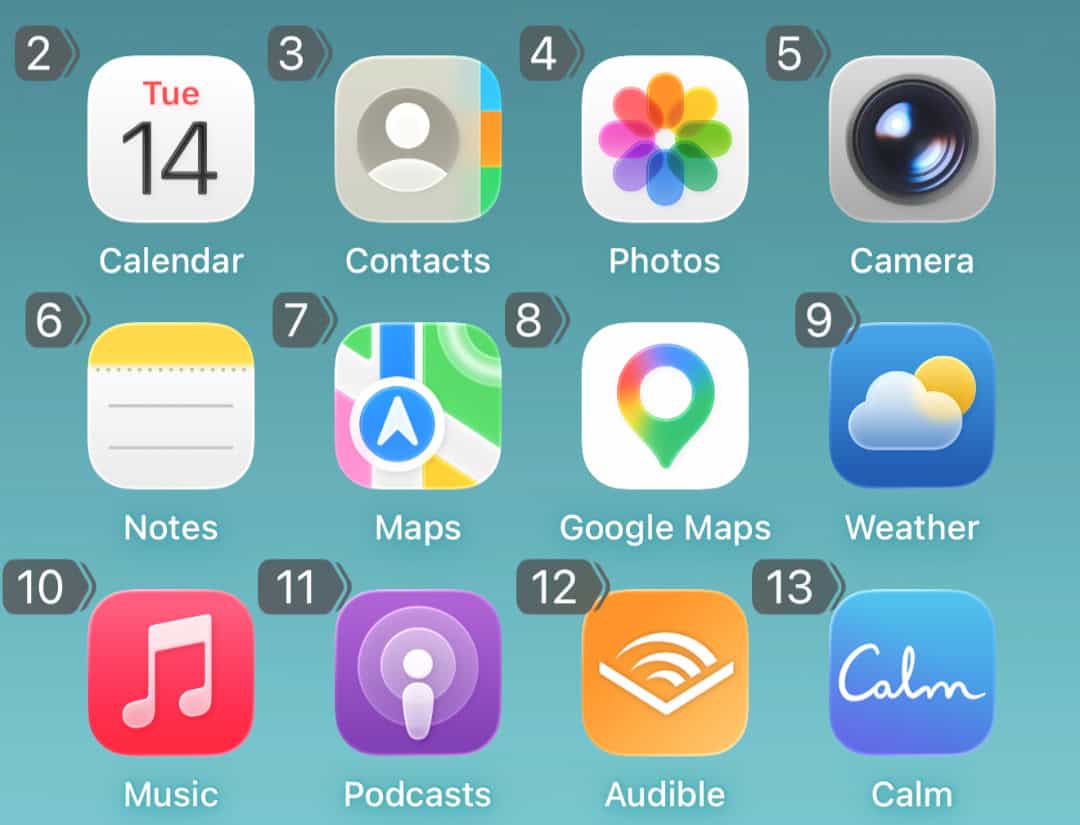
You can also say “Show Numbers” — and every clickable link or button on your screen gets a number. Say the number, and that item gets clicked.
Or say “Show Grid” — and your screen divides into numbered sections. Say a number to zoom into that section, then say another number to click exactly where you want.

Does It Work On The iPhone and iPad?
Yes. The same feature exists on the iPhone and iPad. Once you learn the commands on one device you can use them everywhere.
Not Sure Where To Start?
If this sounds like something that could help you, your parents, or someone you know — give me a call at (310) 621-5670 or use the Contact Form below. It’s one of those things that takes twenty minutes to set up and can genuinely change how someone uses their computer.

